
What Does a Front End Developer Do?
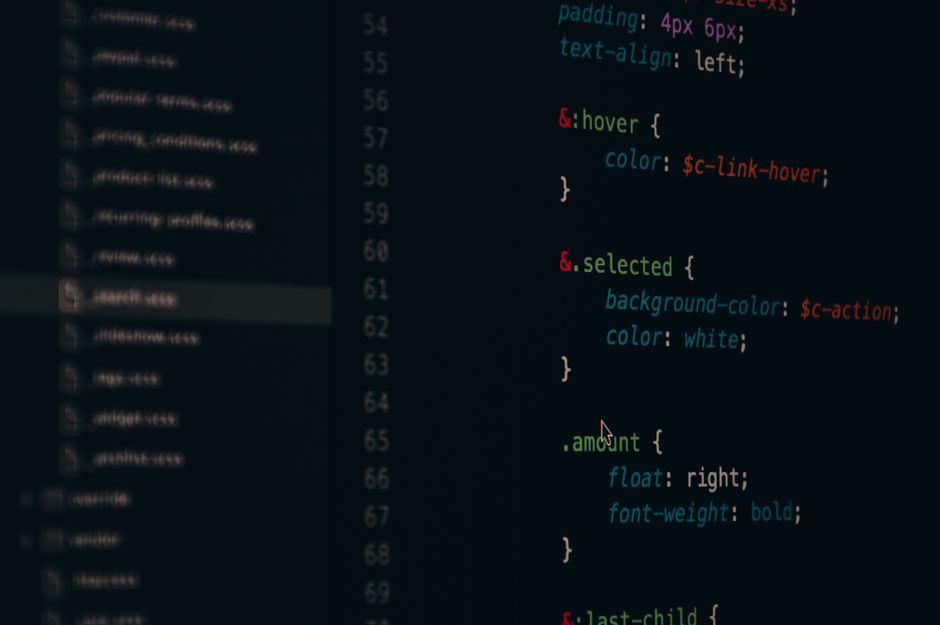
A front end developer builds the parts of a website or web app that people see and use in a browser. They turn designs into working layouts and interactions with HTML, CSS, and JavaScript, then check that the experience adapts to different devices, works across browsers, and meets accessibility and usability needs. Their focus is the user-facing interface; back-end developers build the systems and data services behind it.
What is a front end developer in simple terms?
A front end developer translates a design and its requirements into a usable interface in the browser. The work includes the visible layout, the controls people interact with, and the behavior that connects those controls to information or services.
The U.S. Bureau of Labor Statistics (BLS) describes front-end developers as creating the technical features for a website’s look, developing its layout, and integrating graphics, applications, and other content. In practical terms, a designer’s mockup is a specification to interpret, not a finished page: the developer builds the structure, styling, and interaction that make it function.
Consider a product page with a search field, navigation, and a purchase form. The front end developer implements those elements, handles states such as an empty or invalid form, and checks that the interface is usable in a browser. The BLS describes duties such as discussing a site’s needs, creating and testing interfaces and navigation, writing code, collaborating with designers, and building prototypes. Those responsibilities connect planning to the final experience.
What does a front end developer do day to day?
A front end developer’s day-to-day work moves between interpreting requirements, building interface components, and checking how those components behave. The precise mix depends on the product and team, but the core task is making the user-facing experience work as intended.
Starting from a design mockup, the developer may identify page structure and reusable elements, implement them in HTML and CSS, then add JavaScript for dynamic behavior. Next come browser checks: Does navigation work? Does a form communicate errors clearly? Does the layout adapt to a narrow screen? The BLS’s Occupational Employment and Wage Statistics description includes developing and testing layouts, interfaces, functionality, and navigation menus for usability and compatibility across browsers and devices.
Quality work also includes accessibility and performance. Accessibility means making content and controls usable by people with different abilities and ways of interacting; responsive behavior means the layout adapts to different screen sizes. The W3C’s Web Content Accessibility Guidelines (WCAG) 2.2 organizes testable criteria around four principles: content should be perceivable, operable, understandable, and robust. These are not finishing touches: a button that cannot be operated with a keyboard or text that cannot be read at a useful contrast level is a functional defect.
That distinction is visible in WebAIM’s 2024 analysis of one million home pages: its automated checks detected WCAG 2 failures on 95.9% of sampled pages, including low-contrast text on 81.0%, missing image alternative text on 54.5%, and missing form labels on 48.6%. Automated checks do not identify every accessibility failure, as WebAIM cautions, but the findings show why testing must include more than whether a page looks like its mockup.
Team context changes the deliverables. In a small startup, one developer may implement several parts of a feature and coordinate directly with a designer or product owner. A larger product team may divide component implementation, design systems, accessibility review, and testing among specialists. An agency may work across client projects, translating a brief into a prototype and then a polished interface. These are common organizational patterns, not fixed job boundaries; the underlying work still joins requirements, browser implementation, and verification.
What skills does a front end developer need?
A front end developer needs a foundation in HTML, CSS, and JavaScript, plus the judgment to apply them to real interfaces. MDN’s core learning modules treat semantic HTML as the structure for content, CSS as the tool for styling and layout, and JavaScript as the language for dynamic scripting.
Semantic HTML uses elements according to their meaning, which gives content and controls a clearer structure. CSS handles presentation and responsive layouts, while JavaScript supports changing content and interactive behavior. MDN places frameworks and libraries—common tools for scalable interactive web applications—after these foundations. Learning a framework before understanding the underlying browser technologies can make it harder to diagnose what the code is actually doing.
Practical skill extends beyond writing code. A developer must read a design brief, understand what a user needs to accomplish, and make interface behavior consistent across devices. MDN explicitly includes responsive layout, accessibility, design fundamentals, and version control in its learning path. Version control records and coordinates changes to code, which is especially useful when several people contribute to one product.
Testing is another core competency. MDN describes WebDriver as a way to automate browser interactions, helping teams check web applications across browsers. Automated checks can make repeated verification more consistent, but they do not replace human review of usability or all accessibility concerns. The useful skill is knowing what to test, how to reproduce a problem, and how to verify that a fix does not break another part of the interface.
How is a front end developer different from a back end developer?
A front end developer focuses on the interface and interactions in the browser; a back end developer focuses on the server-side systems and technical framework that support the site. The roles connect through requests and data, but they solve different parts of the user’s task.
Take a sign-up form. The front end developer builds the fields, labels, validation feedback, and submission behavior. The form may send information through an API, a defined way for software components to communicate, to a server; the back end handles server-side processing and data storage. The browser experience depends on both sides, but the visible controls and their interaction are front-end responsibilities.
The BLS distinguishes the roles in similar terms: front-end developers build the user-facing layout and features, while back-end developers handle a site’s overall technical construction and basic framework. Its broader description of software developers also includes designing applications and underlying systems, analyzing user needs, planning how components work together, testing, and maintenance. The boundary is practical rather than absolute: teams collaborate, and some developers work across both sides.
A full-stack developer works across front-end and back-end concerns. That breadth can help connect interface decisions to server behavior, while a specialist may go deeper in one area. For readers considering the work, the key difference is where the main responsibility sits: what a person sees and does in the browser, or the services and systems that make the experience possible.
Frequently Asked Questions
Do front end developers need to know design?
They do not necessarily create the visual design, but they need to understand design briefs and how interface choices affect users. MDN includes design fundamentals in its learning path, alongside accessibility and technical skills.
What does a front end developer build besides websites?
Front-end skills also apply to interactive web applications and browser-based experiences. MDN notes that web app manifests can support installing web apps on device home screens, and progressive web apps can provide experiences similar to native mobile apps.
How can a beginner tell whether front-end development is right for them?
A useful first signal is whether you enjoy turning structured content and visual requirements into an interface that people can navigate and use. Try learning semantic HTML, CSS layout, and basic JavaScript, then test how your work behaves at different screen sizes and with accessible controls.
Sources
- U.S. Bureau of Labor Statistics, Occupational Outlook Handbook: Web Developers and Digital Designers
- U.S. Bureau of Labor Statistics, Occupational Employment and Wage Statistics
- MDN Web Docs, Core learning modules
- W3C Web Accessibility Initiative, WCAG 2.2
- WebAIM, The WebAIM Million: 2024 report
- MDN Web Docs, Web technology for developers
- U.S. Bureau of Labor Statistics, Software Developers, Quality Assurance Analysts, and Testers
You may also like

What Does a Back End Developer Do?
A back end developer builds server-side systems that process requests, manage data, apply application rules, and return useful responses.
Can You Succeed as a Freelance Web Developer?
A freelance web developer can start without a degree by proving skills, defining a service, finding clients, and protecting project scope and payment.

How Much Does a Freelance Web Developer Cost?
Freelance web developer costs vary by scope and experience, from hourly marketplace rates to $1,000–$15,000 for a simple business website.

Choose Installment Payment Software That Protects Your Cash Flow
Choose installment payment software that tracks balances, partial payments, reminders, and recurring-payment records without unnecessary complexity.